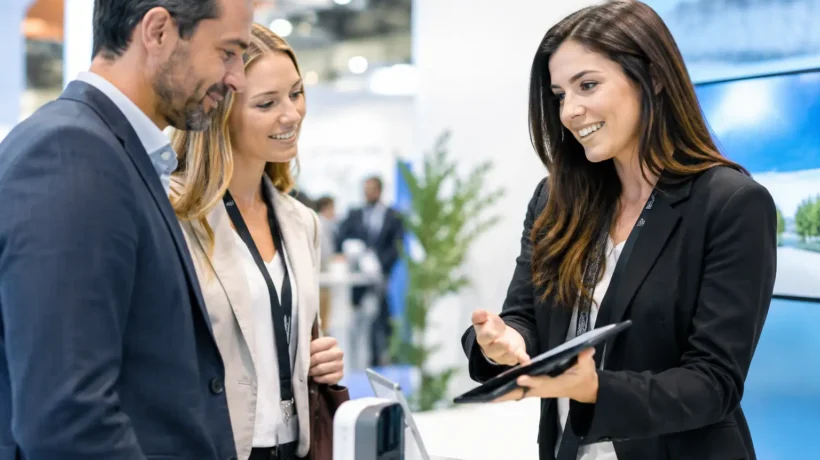
A busy trade show floor gives you only a few seconds to earn attention. A well-planned demonstration can turn that brief pause into a meaningful conversation. Knowing how to plan booth demonstrations is not simply about showing a product in action. It is about designing a live brand moment that makes the right visitor think, “This solves a problem I need to address.”
The strongest demonstrations combine strategic clarity with disciplined execution. They give attendees a reason to stop, provide sales teams with a natural opening, and make your exhibit feel active rather than static. That requires more than a compelling presenter or a polished screen. It requires a plan built around audience needs, booth traffic, timing, staffing, and follow-up.
Start With the Conversation You Want to Create
Before choosing a product feature to show, define the business outcome for the demonstration. A demonstration meant to generate high-volume awareness should look different from one designed to start conversations with a small group of senior decision-makers. Trying to serve both goals with the same presentation often leads to a message that is too broad for serious prospects and too detailed for passersby.
Ask what should happen immediately after the demonstration. Should a visitor book a meeting, request a quote, join a product trial, or bring a colleague back to the booth? That next action shapes the format, the staffing plan, and the physical space required.
A useful planning brief should answer four questions:
- Who is the priority audience, and what problem are they trying to solve?
- What single value proposition should they remember?
- What proof will make that claim credible?
- What action should they take next?
For example, a software company may be tempted to demonstrate every feature in its platform. A stronger approach is to show how one workflow reduces a familiar pain point, then let a sales representative tailor the deeper conversation to the visitor’s role. The demonstration creates interest. The follow-up turns interest into opportunity.
Choose a Demonstration Format That Fits the Booth
Your exhibit design and demonstration format need to support each other. A theater-style presentation can draw a crowd and create visible energy, but it also requires sightlines, sound management, and enough open space to prevent traffic from blocking the aisle. A one-on-one demonstration station allows for deeper discovery, but it depends on available staff and can feel inaccessible if every screen is occupied.
There is no universally correct format. It depends on your product, show goals, floor plan, and expected audience volume.
A scheduled group demonstration works well when your solution benefits from a clear story, visual transformation, or live comparison. Think of a piece of equipment, a manufacturing process, or a platform that can reveal a measurable result in a few minutes. Repeating a concise presentation every 15 to 30 minutes also gives attendees a reason to return at a specific time.
Guided individual demonstrations are better when the offering is configurable, technical, or role-specific. In that setting, attendees may need to enter their own assumptions, review relevant use cases, or ask questions that would not make sense in front of a crowd. Semi-private meeting areas can help, but they should not isolate the activity so completely that no one on the aisle can see it happening.
Many exhibitors benefit from a hybrid approach: a short, highly visual presentation that attracts attention, followed by staffed stations where qualified visitors can explore their specific needs. This structure lets the booth perform at two levels – broad visibility and focused sales engagement.
Build the Story Around a Real Problem
A booth demonstration is not a product tour. It is a short story with tension, proof, and a clear outcome. Start with a recognizable challenge that matters to your ideal prospect. Then show how your solution changes the situation.
The best demonstrations usually follow a simple arc. First, name the problem in language your audience uses. Next, show the old process, friction point, or missed opportunity. Then introduce the solution and demonstrate the key moment of value. Close by connecting that result to a business benefit, whether that is less downtime, faster decisions, lower risk, stronger customer experience, or increased revenue.
Keep the core presentation brief. For an aisle-facing audience, three to seven minutes is often enough. Attendees are navigating appointments, education sessions, and competing attractions. A 15-minute demonstration may be appropriate for a committed audience in a meeting setting, but it is a difficult ask for someone who has just stopped while walking by.
Avoid leading with technical details unless your audience specifically expects them. Specifications matter, especially for technical buyers, but they are most effective after the visitor understands why the capability matters. Use the demonstration to create relevance first, then equip your team to provide the depth serious prospects need.
Plan the Physical Experience, Not Just the Script
The demonstration begins before the presenter speaks. Lighting, graphics, screen placement, product access, and traffic flow all influence whether visitors understand what is happening and feel invited to join.
Position the primary visual so it is visible from the aisle without forcing attendees to stand in an awkward cluster. If you expect a crowd, leave enough room for people to gather while preserving a clear path through the booth. A blocked entrance can discourage new visitors, even when the presentation itself is strong.
Sound deserves early attention. Open exhibit halls are noisy, and loud neighboring booths can overwhelm a presenter. A headset microphone, directional speakers, captions on screen, or a monitor with a visible visual sequence can reduce your dependence on perfect audio conditions. Captions are also helpful for visitors who enter partway through or prefer to watch before engaging.
Demonstration technology needs a backup plan. Confirm power requirements, connectivity, device compatibility, charging, adapters, and backup files well before the show opens. If your presentation relies on a live internet connection, prepare a recorded version or offline environment that still communicates the intended value. A live demo can feel more credible, but only when the operational risk is acceptable.
This is where exhibit planning and event management intersect. A tailored environment should make the demonstration easier to deliver, not force your team to work around the structure. FrontLine Exhibits approaches those details as part of the brand experience, from the concept and graphics to the logistics and on-site readiness.
Staff for Engagement, Not Just Presentation
A polished presenter cannot manage the full demonstration experience alone. While one person is speaking, someone else should welcome approaching attendees, identify whether they fit your target profile, and invite them into the next step. Otherwise, the booth may draw a crowd without creating enough qualified conversations.
Assign clear roles before the event. The presenter owns the story and pacing. A greeter draws people in and keeps the entrance open. Product specialists answer detailed questions after the presentation. Sales representatives capture lead context, schedule follow-up, and avoid interrupting a technical discussion too early.
Give every staff member a shared set of qualifying questions. They do not need a rigid script, but they should know how to learn a visitor’s role, current challenge, timeline, and authority. Capture those details in your lead process while the conversation is fresh. A badge scan without context is often just a name in a database.
Rehearse the handoff between the demonstration and the sales conversation. The presenter might close with, “If reducing setup time is a priority for your team, our specialists can show you how this works in your environment.” That transition feels useful, not forced, because it follows directly from the story attendees just watched.
Rehearse Under Real Show Conditions
A conference room rehearsal is necessary, but it is not sufficient. Practice in the booth whenever possible, with the actual equipment, screen layout, lighting, and sound system. Test what a visitor can see from the aisle, not just what the presenter sees from inside the exhibit.
Time the presentation honestly. Include pauses for audience reactions, product loading, questions, and transitions. A five-minute script can become an eight-minute presentation quickly once a real audience participates. If timing matters, create a short version for high-traffic periods and a deeper version for appointments or quieter hours.
Also rehearse failure scenarios. What happens if the product does not connect, a sample is missing, the presenter loses their place, or an unexpected question changes the direction of the conversation? A confident recovery plan protects the experience and reduces stress for the team.
Measure More Than Crowd Size
A crowd can be a useful signal, but it is not the final measure of a successful booth demonstration. Track how many visitors watch, how many stay through the key value moment, how many enter a follow-up conversation, and how many meet your qualification criteria. Compare those numbers by demonstration time, presenter, message, and show day.
Sales feedback matters, too. Ask the team which questions visitors repeated, where people lost interest, and which examples created the strongest response. That information can improve not only the next event but also your broader sales and marketing message.
The goal is not to perform for the trade show floor. It is to create a memorable, well-managed experience that makes the right next conversation easier. When your demonstration is planned as part of the full exhibit strategy, every screen, staff role, and square foot has a clearer purpose.