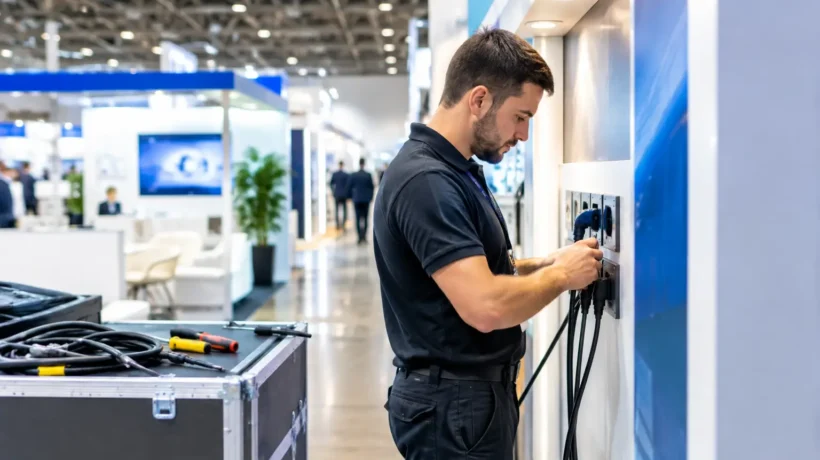
A dramatic video wall, illuminated product display, or hands-on demo can pull attendees into your space – until a missing outlet, overloaded circuit, or poorly placed floor cable interrupts the experience. This trade show electrical planning guide helps turn power from a last-minute show-site issue into a planned part of your exhibit strategy.
Electrical planning is not just a facilities task. It affects what your audience sees, how your sales team works, where visitors gather, and what the exhibit ultimately costs. When power needs are identified during design rather than after graphics are printed and freight is booked, your booth can deliver the presence it was built to create.
Start Electrical Planning With the Booth Experience
Begin with the attendee journey, not an outlet count. Consider where people will first notice the booth, where conversations will happen, and where your team needs technology to perform without interruption. A reception counter may need power for lead capture devices and charging. A demo station may need a dedicated circuit. A hospitality area may need discreet access for a coffee machine, refrigerator, or display lighting.
Place every powered element on your floor plan, including items that may feel minor during early conversations. That means monitors, LED walls, laptops, tablets, charging stations, light boxes, display cases, refrigerators, printers, product demos, routers, and any equipment supplied by a third party.
Then identify the exact location of each electrical connection. It is not enough to request power “in the booth.” A drop positioned six feet from a reception counter can create an exposed cable run, force a furniture change, or require additional labor on the show floor. Your exhibit design, furniture plan, flooring layout, and electrical plan should work as one coordinated document.
Build a Realistic Power Load Schedule
Every electrical request should be based on equipment specifications, not estimates. Ask each vendor or internal owner for the voltage, wattage, amperage, plug type, and whether the device needs continuous power. The manufacturer label is the best starting point.
Watts and amps are related, but they are not interchangeable. For common 120-volt service, amps can be estimated by dividing watts by volts. A 600-watt device, for example, draws roughly 5 amps at 120 volts. This gives your team a useful planning reference, but the event’s electrical contractor determines the appropriate service and connection method.
Avoid planning a circuit at its theoretical maximum. Equipment can draw more power during startup, and an overloaded circuit can trip at the exact moment a prospect is watching a product demonstration. Leave capacity for real-world use, especially when a circuit supports a mix of screens, chargers, lighting, and computers.
A simple load schedule should record the equipment, its electrical requirement, its booth location, the hours it must run, and the circuit or outlet assigned to it. It also creates accountability. If a new espresso machine, gaming demo, or larger monitor is added late, the team can immediately see whether the electrical order needs to change.
Know When Dedicated Power Is Worth It
Some equipment should not share a circuit with general booth technology. Refrigeration, high-output lighting, interactive demonstrations, large LED displays, motors, and sensitive audiovisual equipment may require dedicated service depending on their specifications and the event’s rules.
Dedicated power costs more, so it should be used intentionally. For a small booth with one monitor and a few device chargers, standard service may be entirely appropriate. For a high-traffic activation where a demo failure would stall lead generation, the added cost can protect the larger investment in space, staffing, travel, and promotion.
Read the Show Electrical Order Form Early
Each venue and general service contractor has its own electrical order form, deadlines, rates, and restrictions. Early-order pricing can be significantly lower than show-site rates, while a late addition may also involve labor delays and limited availability.
Review the exhibitor service manual as soon as it is released. Confirm the available service types, electrical placement rules, whether power is shut off overnight, and whether the contractor supplies extension cords, power strips, or adapters. Do not assume a power strip packed with your booth materials is approved for use. Many events require specific equipment or contractor-installed connections.
Also check whether your booth includes floor covering. Electrical cables typically need to be routed before carpet, vinyl, raised flooring, or other finished surfaces are installed. A beautiful floor can become an expensive obstacle if the power plan arrives after production is complete.
Separate Power, Data, and AV Responsibilities
Power and internet are related in use, but they are usually ordered and managed separately. A router needs electricity, while the internet connection itself may be controlled by the venue’s exclusive provider. The same applies to audiovisual components supplied by a client, an AV partner, or the exhibit team.
Document who owns each responsibility: who orders electrical service, who orders internet, who brings devices, who tests the content, and who has authority to approve a change on site. This prevents the familiar show-floor moment when several people assume someone else ordered the connection.
For critical demos, ask whether a wired internet connection, backup hotspot, or offline version of the presentation is appropriate. The answer depends on the application. A simple lead-capture form may work well with a cellular backup, while a live software demo or streamed content can demand a more deliberate connectivity plan.
Design Cable Management Into the Environment
Electrical planning should protect the visual concept as well as the safety of the booth. Cables crossing open walkways look unfinished, create trip hazards, and can pull attention away from your message. Ideally, most runs disappear beneath flooring, inside counters, through structural elements, or behind graphics.
This is particularly relevant for rental exhibits and modular systems. Before selecting furniture or configuring walls, confirm where cables can travel and where devices can be powered. A striking reception counter that cannot conceal a laptop cable or lead retrieval charger creates an operational compromise your staff will notice all day.
Think beyond the public-facing area. Staff storage needs charging access. A small equipment closet may need power for a printer, battery chargers, or network hardware. Back-of-house electrical needs are easy to overlook because they do not appear in a rendering, yet they can make the booth easier to manage during busy show hours.
Plan for Installation, Testing, and Show Hours
An electrical order is only the beginning. During install, compare the actual outlet locations with the approved floor plan before flooring and furnishings make corrections difficult. Test every monitor, light, device, charger, demo, and connection with the same equipment that will be used during the event.
Create a short opening and closing routine for the booth team. At opening, confirm that key displays, demos, and charging points are functioning. At closing, follow event rules for equipment that should be powered down, secured, or left on overnight. If the venue turns off non-continuous service after hours, account for restart times the next morning.
Keep the relevant order confirmations, circuit information, and service desk contacts available to the on-site lead. If something fails, specificity speeds up the solution. “The demo monitor has no power” is less useful than “the dedicated outlet at the rear demo counter is not live.”
Make Electrical Decisions Part of the Exhibit Brief
The strongest exhibit programs treat electrical requirements as a design input, not a procurement afterthought. Bring the load schedule and floor plan into early conversations about exhibit architecture, graphics, lighting, flooring, technology, and staffing. This gives creative ideas room to become practical, buildable environments.
At FrontLine Exhibits, that coordination is part of strategically applied imagination: creating physical spaces that look intentional because every operational detail has a place. Whether you are planning a compact rental booth or a custom environment with multiple interactive zones, the goal is the same – let your team focus on the conversations in front of them, not the cords beneath their feet.
The most useful question to ask before submitting an electrical order is simple: if every planned device is running and the booth is full of visitors, does the environment still work exactly as intended? Plan until the answer is yes.