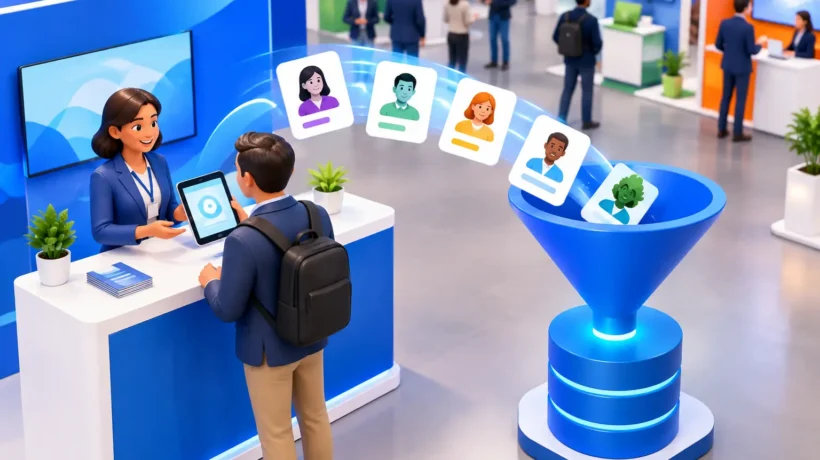
A crowded booth is not the same thing as a productive booth. If your team leaves an event with a stack of business cards, scattered notes, and no clear record of who asked for what, the conversation can disappear before sales has a chance to act. The best lead capture tools help event teams collect accurate details, add context while the conversation is fresh, and move qualified prospects into an organized follow-up process.
For B2B exhibitors, the right choice is rarely just an app. It is a system that connects booth design, staffing, qualification, and post-show response. A visually compelling environment earns attention. A practical lead capture process gives that attention commercial value.
10 Best Lead Capture Tools for Trade Shows
1. Cvent LeadCapture
Cvent LeadCapture is a strong fit for organizations that already use Cvent for event management or need a structured enterprise approach. It is designed for scanning attendee badges, qualifying leads through custom questions, and routing records to sales and marketing systems.
Its advantage is consistency across a larger event program. The trade-off is that smaller exhibitors may find its broader platform more than they need for a single annual show. Confirm badge-scanning compatibility with each show organizer well before move-in.
2. iCapture
iCapture is built specifically around trade show lead retrieval, with mobile scanning, customizable surveys, notes, and lead scoring. It is particularly useful when different team members need the same qualification framework but may be working multiple conversations at once.
The platform’s value comes from disciplined use. Keep the questions short enough that booth staff can complete them naturally. A detailed survey may look useful on paper, but it can slow down a busy conversation and encourage incomplete entries.
3. atEvent
atEvent is a practical option for teams that want to connect event leads to CRM and marketing automation workflows. It supports badge scanning, manual entry, lead qualification, and follow-up actions, making it suitable for exhibitors that measure events as part of a larger demand-generation program.
It works best when the sales team agrees on what a qualified lead means before the show. Without shared definitions, a scoring system simply creates a more polished version of inconsistent data.
4. Captello
Captello combines lead capture with engagement tools such as games, forms, text messaging, and lead scoring. That makes it a useful consideration for experiential programs where the interaction itself is designed to create a memorable exchange.
This approach can produce richer first-party data than a simple badge scan. Still, the activity needs a clear purpose. A game or giveaway that attracts people with no connection to your offering may inflate lead totals without improving pipeline quality.
5. Swapcard
Swapcard is often used for events with an app-based attendee experience, including conferences, hybrid events, and hosted-buyer environments. Its networking and event-management features can give exhibitors more context around meetings and attendee interests.
It is most effective when the event itself runs on the platform. If your primary need is quick booth-side scanning at a traditional convention, a dedicated lead retrieval tool may be simpler and faster for staff to adopt.
6. vFairs
vFairs is well suited to hybrid programs and events that need both in-person and digital engagement records. It can help teams capture leads across virtual booths, sessions, chats, and physical-event interactions.
For organizations running multiple formats, that unified view can be valuable. But it requires thoughtful process design. Leads generated from a webinar chat should not necessarily receive the same follow-up as someone who spent ten minutes discussing a specific solution in the booth.
7. HubSpot Forms and Mobile Tools
For teams already operating in HubSpot, native forms and mobile-friendly landing pages can be an efficient way to capture leads directly into existing workflows. They are useful for appointments, product demonstrations, content requests, and follow-up preferences.
HubSpot is especially effective when badge scanning is unavailable or cost-prohibitive. The limitation is manual entry. Design a simple form and consider a staff-assisted tablet workflow so the prospect does not have to manage the entire process alone.
8. Salesforce Event Lead Capture Options
Salesforce-centered organizations should prioritize tools that preserve clean CRM data and support reliable campaign attribution. Depending on the event and your existing stack, this may mean a Salesforce-connected lead app, a third-party scanner with a tested integration, or a custom mobile form.
The key is not simply getting leads into Salesforce. It is ensuring the record includes event source, date, product interest, owner, and next step. A lead without those details is difficult for sales teams to prioritize after a demanding event week.
9. Jotform Mobile Forms
Jotform is a flexible, approachable option for building custom forms on tablets or phones. It can support manual lead entry, appointment requests, consultation sign-ups, and product-specific qualification paths without requiring a full event platform.
It is a good fit for smaller events, corporate environments, retail activations, or occasions where the audience is not wearing scannable badges. Use required fields carefully. Ask for only what your team genuinely needs to make an appropriate next contact.
10. The Show Organizer’s Lead Retrieval App
The organizer-provided lead retrieval app is sometimes the most straightforward choice, particularly for exhibitors attending one major event. It is usually built around that show’s badge format and may offer the easiest route to scan attendee information.
Its weakness is often integration and flexibility. Before purchasing, ask how exports work, whether notes and qualifiers can be added, how quickly data is available, and whether records can be pushed into your CRM. Convenience at the booth should not create cleanup work after the show.
How to Choose the Best Lead Capture Tool for Your Event
The best platform depends on the event environment and the operating model behind it. A high-volume trade show with thousands of badge-carrying attendees calls for fast scanning and a few decisive qualification questions. A targeted executive event may benefit more from scheduled meetings, detailed notes, and personal follow-up assignments. A retail or corporate installation may need a tablet form, SMS opt-in, or QR code experience rather than conventional lead retrieval.
Start with four operational questions:
- Can the tool scan or accurately collect contact information in this specific event environment?
- Can booth staff capture the context that makes the lead actionable?
- Does it connect to your CRM or export cleanly enough for prompt follow-up?
- Can your team learn it quickly and use it confidently during peak traffic?
Integration deserves special attention. A tool that promises CRM connectivity is not automatically ready for your program. Test field mapping before the event. Decide where each data point belongs, including lead source, campaign name, product interest, buying timeline, and follow-up owner. If your sales organization uses different definitions than marketing, resolve those differences before the exhibit floor opens.
Also consider the physical setting. Tablets need charging, secure stands, and a clear place in the booth experience. QR codes need prominent placement and a benefit strong enough to motivate a scan. Badge scanners need reliable access to the organizer’s data and a backup plan for unreadable badges. Lead capture should feel like a natural extension of the conversation, not an administrative interruption.
Make the Tool Work Harder Than the Booth Staff
Even the strongest software cannot compensate for an unclear process. Give staff a short qualification path they can use in conversation: what challenge brought the visitor in, what solution are they evaluating, how soon are they considering action, and what should happen next? Those answers are more useful than a long checklist of generic demographic fields.
Create a small number of lead categories that reflect real follow-up priorities, such as sales-ready, nurture, partner, media, or current customer. Pair each category with an expected action and timeline. A sales-ready lead may require a personal response that day, while a nurture contact may receive a relevant resource or event recap within a few days.
Brief the team on notes, not just scanning. “Interested in our services” offers little direction. “Planning a 20-by-30 exhibit for a spring launch, needs rental options, requested a budget conversation next week” gives the next person a useful starting point. Specific notes make your event investment easier to measure and your follow-up more credible.
Finally, rehearse the handoff. Run a test scan, submit a test form, verify the CRM record, and confirm who receives the alert. Check that the process works on the actual devices and venue network conditions you will use. The quiet hour before the show opens is the right time to solve these details, not the busiest hour of the day.
A strong exhibit creates the conditions for meaningful conversations. The right lead capture tool preserves what those conversations reveal, so your team can turn a well-designed presence into the next practical step.